Filament Dryers and Dry Boxes: The Practical Guide (2026)
Why wet filament ruins prints, the drying temperature for every material, and the best filament dryers and dry boxes to buy in 2026, from budget to print farm.
If you have ever opened a spool of PETG, printed a couple of parts, come back three weeks later and watched it print like a steam engine, full of pops, stringing and rough surfaces, you have met wet filament. Most 3D printing plastics are hygroscopic, which means they pull moisture out of the air, and that moisture turns to steam in the hotend and wrecks your print quality.
We touched on this in our filament guide, where almost every material except basic PLA needs protecting from humidity. This article is the fix: how drying actually works, the right temperature for each material, and which dryers and dry boxes are worth buying in 2026. For anyone selling prints, this is one of the highest-return upgrades you can make, because every failed or ugly print is wasted filament and a lost sale.
Drying versus storage: two jobs, two tools
People mix these up, so be clear on the difference:
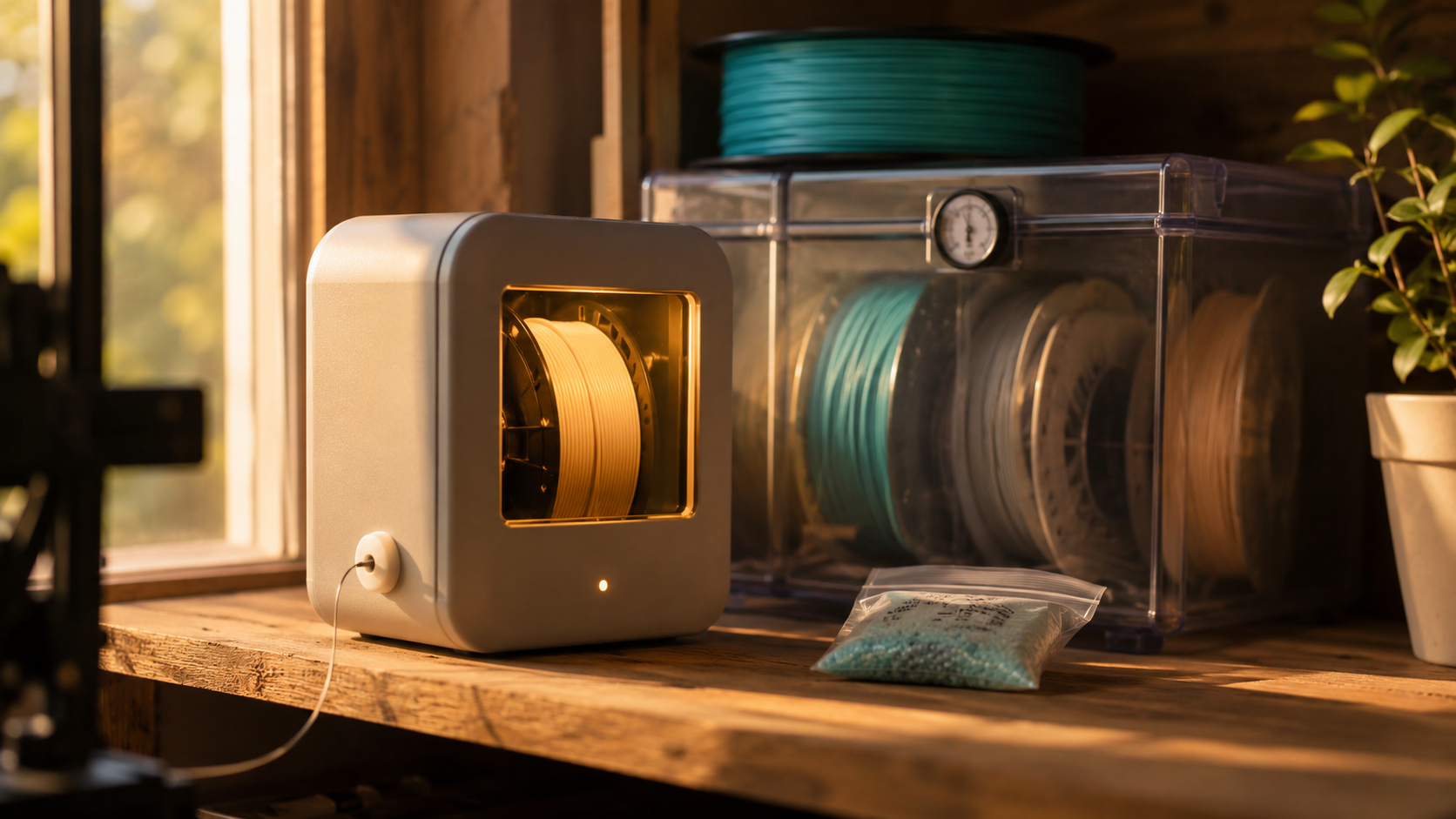
- A filament dryer is a heated box that bakes moisture out of a wet spool. Crucially, most let you print directly from inside the dryer through a feed port, so the filament stays dry during a long print instead of reabsorbing water the moment you open it.
- A dry box is a sealed container with desiccant that keeps an already-dry spool dry. It does not remove much moisture, it just stops more from getting in. Lower power, ideal for storage between prints.
The ideal setup uses both: dry a wet spool in the dryer, then either print straight from it or store it in a sealed dry box until you need it.
The drying temperature for each material
This is the part that matters most, because a dryer that cannot reach and hold the right temperature is just a warm box. Times and temperatures below are typical starting points. Always check the spool maker's own guidance, especially for engineering grades.
| Material | Drying temp | Time | Notes |
|---|---|---|---|
| PLA | 45 to 55 °C | 4 to 6 h | Basic PLA is the least thirsty. Silk and matte PLA absorb fast. Do not exceed ~55 °C or the spool can soften. |
| PETG | 60 to 65 °C | 6 to 8 h | Absorbs moisture aggressively. Dry before most prints. |
| TPU | 50 to 65 °C | 4 to 6 h | Print straight from the dryer if you can, it reabsorbs during long prints. |
| ABS / ASA | 65 to 80 °C | 4 to 6 h | |
| Nylon (PA) | 75 to 90 °C | 8 to 12 h | Very hygroscopic. Overnight drying is normal. |
| PC / PA-CF | 80 to 90 °C | 8 to 12 h | The demanding tier where cheap dryers fall short. |
Notice the split: PLA, PETG and TPU are happy below 65 °C, which almost any decent dryer manages. Nylon, PC and carbon-fibre composites need 80 to 90 °C sustained for many hours, and that is where the market thins out fast. Buy for the materials you actually print.
What to look for in a dryer
- Real temperature accuracy. Cheap units often claim 60 °C but only reach 45 °C at the spool. Look for verified real-world figures, not spec-sheet numbers. The difference is the difference between dry filament and an unchanged spool.
- Maximum temperature. Fine if you only print PLA and PETG. Essential if you touch nylon or PC, where you need a genuine 80 to 90 °C.
- Print-from-dryer feed port. The single most useful feature. It lets you feed the printer from inside the dry chamber so the spool never sits exposed.
- Capacity. One spool, two spools, or four to match a Bambu AMS.
- Shared versus independent chambers (multi-spool). A shared-chamber unit dries every spool at the same temperature. Independent chambers cost more but let you dry PLA and nylon at once, which matters for mixed-material workflows.
- Noise and power. A dryer runs for hours. If it lives in an office or bedroom, a quiet fan is worth paying for. Heating draws anywhere from 50 to 350 W; storage modes drop to single-digit watts.
The dryers worth buying in 2026
Prices are approximate and fluctuate constantly, so treat them as a guide and check current pricing.
Best budget: Creality Space Pi
Around 50 to 65, and the value pick for anyone printing mostly PLA and PETG. It actually reaches and holds its stated temperature up to 70 °C, has power-off memory, and runs quietly. In several 2026 head-to-head tests it edged out the once-default Sunlu S2 on temperature accuracy and reliability, with the S2 flagged for inconsistent heating at maximum temperature. If you want one spool dried reliably without spending much, start here.
{{AFFILIATE: Creality Space Pi}}
The popular mainstream pick: Sunlu FilaDryer S2
Around 45 to 80, hugely popular, with a clear touchscreen and presets up to 70 °C. It remains a perfectly good dryer for PLA, PETG and TPU and is often the cheapest "real" dryer on sale. Just be aware of the reliability notes above. The dual-spool Creality Space Pi Plus (around 65) is the natural step up if you want to dry two spools with the same quiet, accurate behaviour.
{{AFFILIATE: Sunlu FilaDryer S2}} · {{AFFILIATE: Creality Space Pi Plus}}
Quieter and more accurate: Eibos Cyclopes
For around ten more than an S2, the Eibos Cyclopes (and the Turbo variant) heats faster, holds temperature tighter, runs noticeably quieter, and reaches 80 °C for less demanding nylon. A good choice if your printer shares a room with you.
{{AFFILIATE: Eibos Cyclopes}}
Best for four spools and Bambu AMS: Sunlu FilaDryer S4
Around 130 to 140, the community consensus for AMS setups. Four-spool capacity matches the AMS exactly, a 350 W heater with three fans keeps drying even, and there is a popular mod to integrate it into the AMS workflow. If you want independent chambers so you can dry different materials at different temperatures at once, the Creality Space Pi X4 (around 159) is the alternative.
{{AFFILIATE: Sunlu FilaDryer S4}} · {{AFFILIATE: Creality Space Pi X4}}
Best for engineering filaments: Polymaker PolyDryer
Around 75 to 130 depending on configuration, and the pick if you print nylon, PC or PA-CF. It holds temperature to within about 1 °C, the tightest in the consumer market, sustains 90 °C for serious drying, and the boxes are modular so a print farm can chain several together and scale linearly. Build quality and support are a step above. For pure PLA hobby use it is overkill, but for demanding materials and daily commercial use it pays for itself. The PrintDry Pro3 is a comparable high-temperature alternative.
{{AFFILIATE: Polymaker PolyDryer}}
Dry boxes and DIY storage
Drying is half the battle. Keeping filament dry between prints is the other half, and you do not need to leave a dryer running to do it.
- PolyBox and similar sealed boxes. A humidity-controlled box that holds one or two spools at low relative humidity and feeds the printer through a port, so the spool stays protected while you print. Convenient and tidy.
- DIY airtight box. An airtight food container or storage tub, a few packs of rechargeable silica gel desiccant, a cheap hygrometer to watch the humidity, and a PTFE feed-through fitting. This costs very little and works well for storage. It will not dry a soaked spool, but it keeps a dry one dry indefinitely.
- Vacuum bags with desiccant. Best for long-term storage of spools you will not touch for a while. Vacuum out the air, drop in desiccant, and they keep for months.
A simple rule: do not leave hygroscopic filament exposed for more than a couple of hours in a humid room. Print from a dry chamber, and bag or box anything you are not actively using.
What to skip
- No-name budget "dryers" on Amazon. Many top out around 50 °C, have no feed port, and ship with a decorative thermometer. Spend a little more on a unit that actually holds temperature.
- Oven drying. Risky. Home ovens are inaccurate at low temperatures and PLA can soften and deform. Only an emergency measure, watched closely.
- Food dehydrators. They can dry filament, but without a PTFE feed-through you cannot print from them, so the spool reabsorbs moisture as soon as you move it.
- Giant dry-storage vaults. Great if you keep fifty-plus spools, pointless otherwise.
Storage habits that keep filament dry
- Label every spool with the date you opened it.
- Use older filament first, FIFO style.
- Store spools sealed with desiccant and a hygrometer the moment they are not in use.
- Recharge your silica gel when it changes colour, in the oven or microwave per its instructions.
- Print straight from the dryer or dry box for anything thirstier than basic PLA.
Why this matters when you sell
For a hobbyist, wet filament is an annoyance. For a print business, it is a direct hit to the bottom line. Moisture causes failed prints, weak layers and rough surfaces, which means wasted filament, reprints, late orders and the occasional refund or bad review. A dryer attacks all of that at the source.
It also shows up in your numbers. Failed prints are a line in any honest pricing model, the failure buffer that the good prints have to carry. Drop your failure rate by keeping filament dry, and your real cost per part falls with it, so the same price keeps more margin. Our guide on how to price 3D prints shows exactly where that failure rate sits in the formula. A 60 dryer that prevents a handful of failed spool-runs a month has very likely already paid for itself.