The Bambu Lab Lineup in 2026: Which Machine for Which Job
Bambu Lab now sells nearly ten printers across four families. A guide to the 2026 lineup, from the A1 Mini to the H2D, plus AMS options and who each one is for.
A year ago, choosing a Bambu Lab printer was easy: there were about three machines that mattered. Now there are nearly ten across four families, and the names blur together fast. A1, P2S, X2D, H2C reads more like a row of licence plates than a buying decision, and Bambu's own site lists them in an order that does little to help you choose.
This guide cuts through it the same way our Prusa lineup guide does: by what you actually print. The good news up front is that every current Bambu machine auto-calibrates and just works out of the box, which is exactly why they are the easiest printers to recommend to someone who wants to make things rather than tinker. Below is the whole range, grouped by family, with who each machine is for.
The four families at a glance
To scale, nested.
Each box is a printer's real build volume, sharing one corner. Slide to grow through them — drag to orbit.
| Family | Type | Build size | Best for |
|---|---|---|---|
| A-series | Open frame | 180 to 330 mm | PLA, PETG, TPU. Beginners, value, large-format on a budget |
| P-series | Enclosed CoreXY | 256 mm | The reliable daily driver, plus ABS/ASA/PC/PA |
| X-series | Enclosed, dual-nozzle | 256 mm | Clean supports and two-material work in a compact body |
| H-series | Large enclosed | ~350 mm | Professional, large-format, engineering and production work |
One note before the detail: Bambu retired the X1 Carbon, X1E and P1P in early 2026. They were excellent machines and still get years of parts and firmware support, but for a new purchase the P2S, X2D and H-series fill the same roles with newer tech. If you see a used X1C at a good price it is still a fine printer, but new buyers should look at the current lineup.
A-series: open-frame, for the everyday materials
Open-frame bed-slingers, brilliant for PLA, PETG and TPU, which is what most people print. Because they are not enclosed, they are not the right pick for ABS, ASA or other high-temperature materials.
A1 Mini (around 199 standalone, 299 Combo). A compact 180 mm bed and possibly the most beginner-friendly printer ever made. Ideal if desk space is tight or you sell small goods like jewelry, miniatures and keychains.
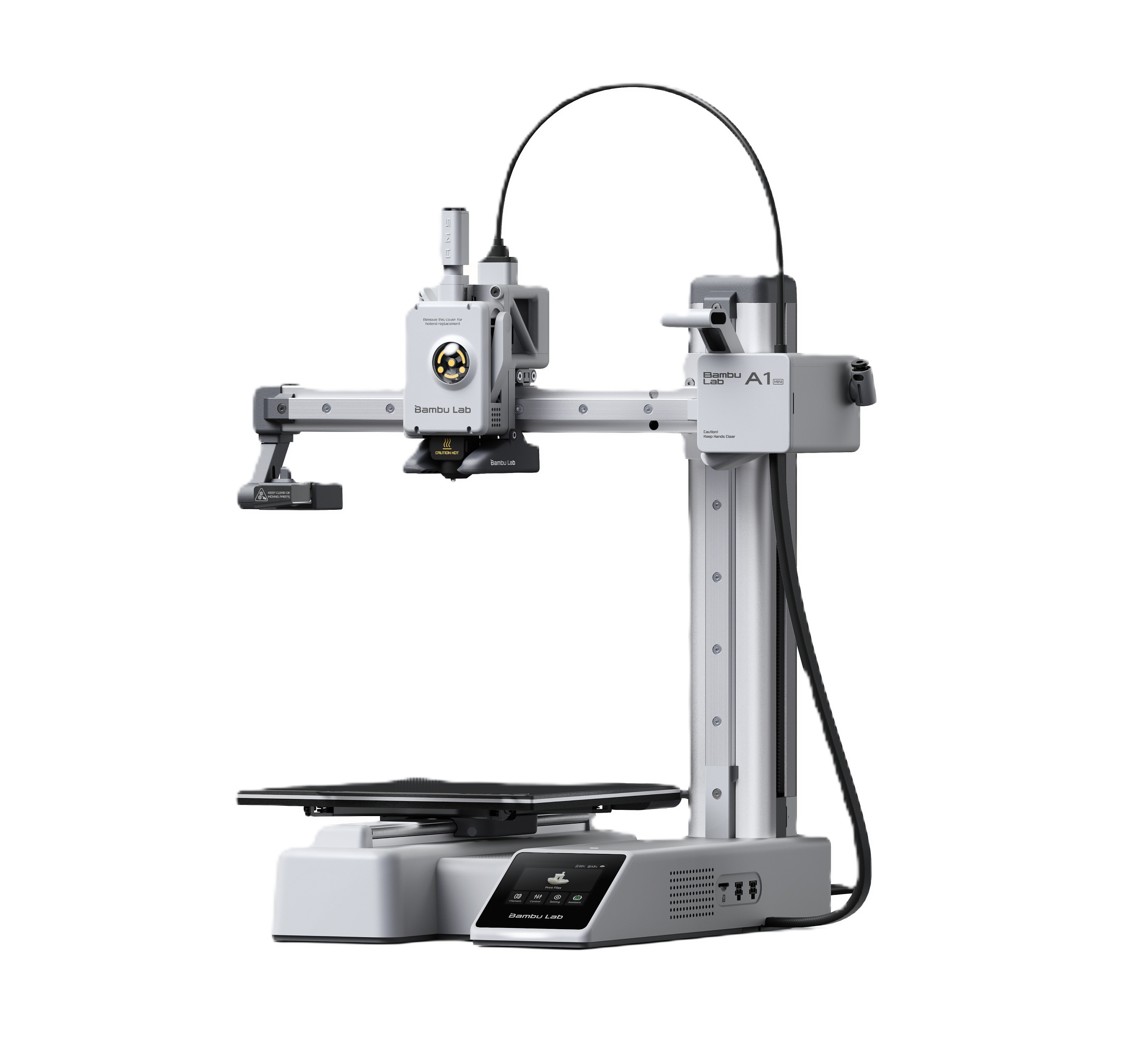
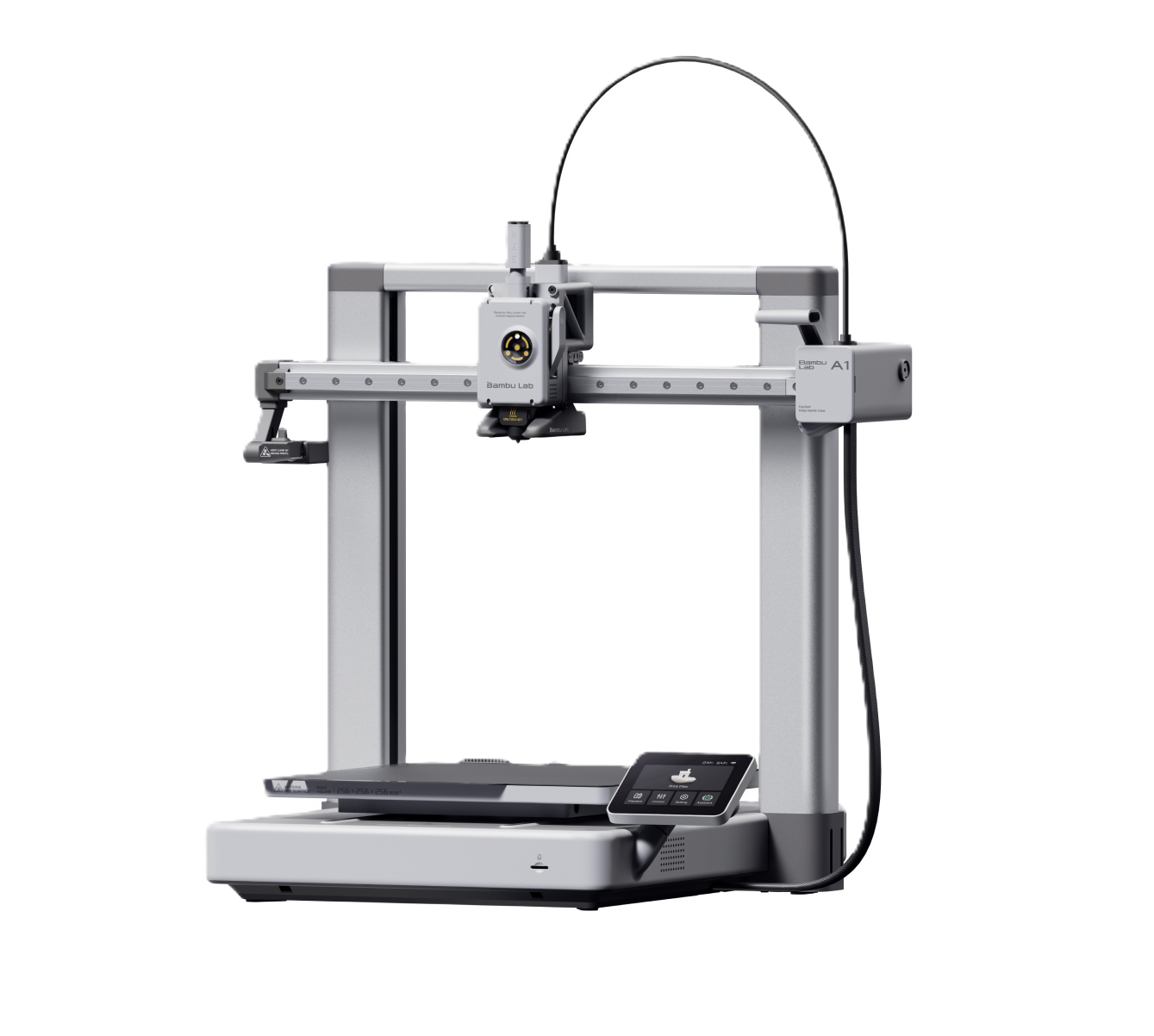
A1 (around 299 standalone, 399 Combo). The 256 mm bed and slightly higher bed temperature make this the better long-term buy for most people. The price gap over the Mini is small and you will outgrow it far more slowly. Our best budget printer to start selling guide digs into the A1 as a first business machine.
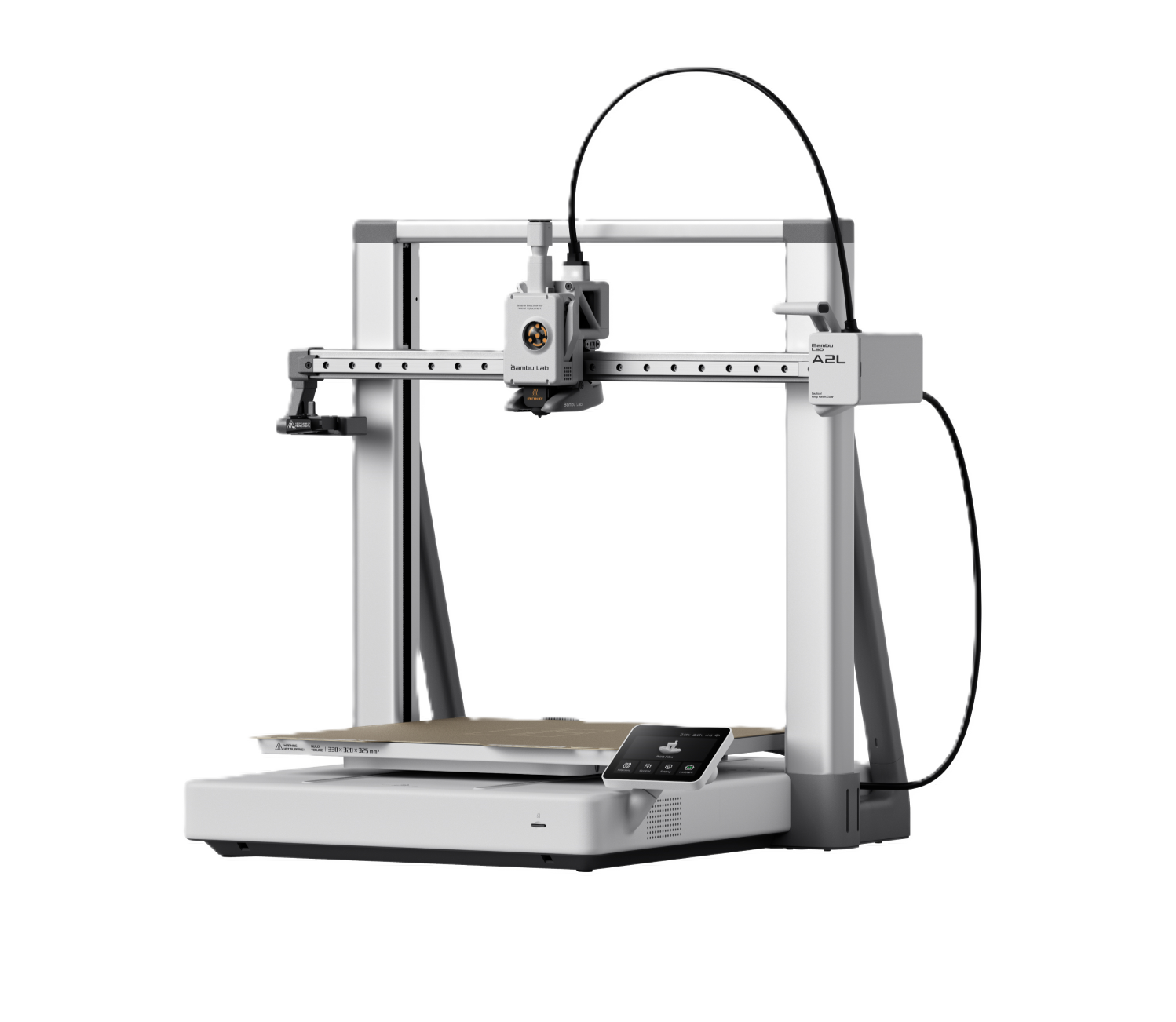
A2L (469, or 569 Combo). The newest A-series machine and a different proposition: a large 330 x 320 x 325 mm bed, the same footprint as the far pricier H2D, at entry-level money. Built for big single-piece prints and batch runs, still in the PLA/PETG/TPU lane. We covered it in depth in our Bambu Lab A2L guide.
P-series: the reliable daily driver
Fully enclosed CoreXY machines with a 256 mm bed. The enclosure lets them handle ABS, ASA, PC and PA alongside the easy materials, and they are proven in thousands of 24/7 print farms.
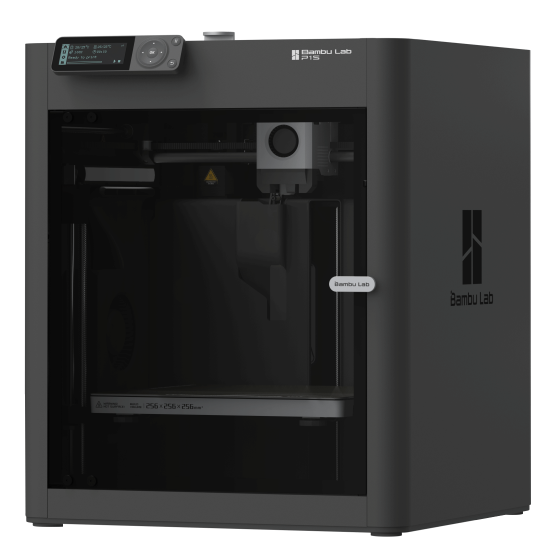
P1S (around 399 to 449 standalone while discounted). The printer Bambu built its reputation on: enclosed, fast, reliable, and now heavily discounted as it is superseded. The trade-off is no touchscreen and no AI camera. Still one of the best value routes into enclosed printing if you do not need the latest features.
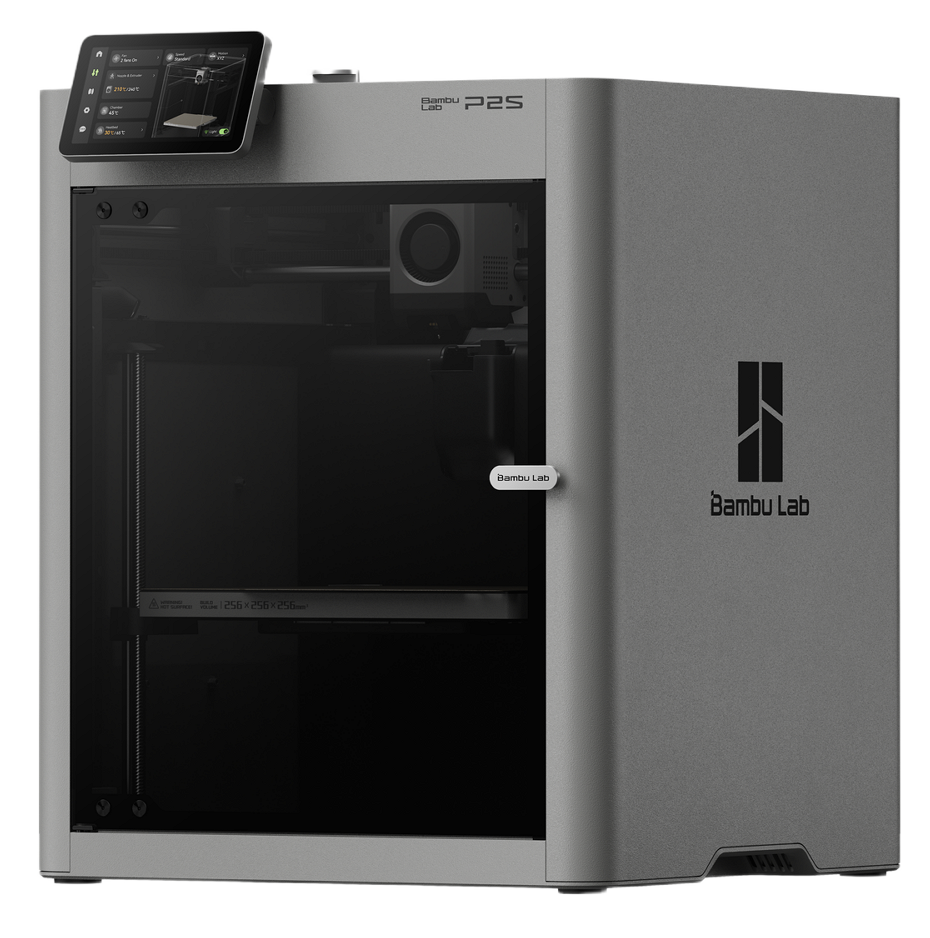
P2S (549 standalone, 799 Combo). The direct P1S successor and, for most buyers, the machine to get. It adds a 5-inch colour touchscreen, AI-powered failure detection, a 50 °C actively managed chamber, a 300 °C nozzle, a much stronger servo extruder, quieter running, quick-swap nozzles, and native AMS 2 Pro support. It also handles TPU reliably, a weak point on older Bambu machines. If you want one printer that does almost everything well, this is it.
X-series: dual-nozzle in a compact body
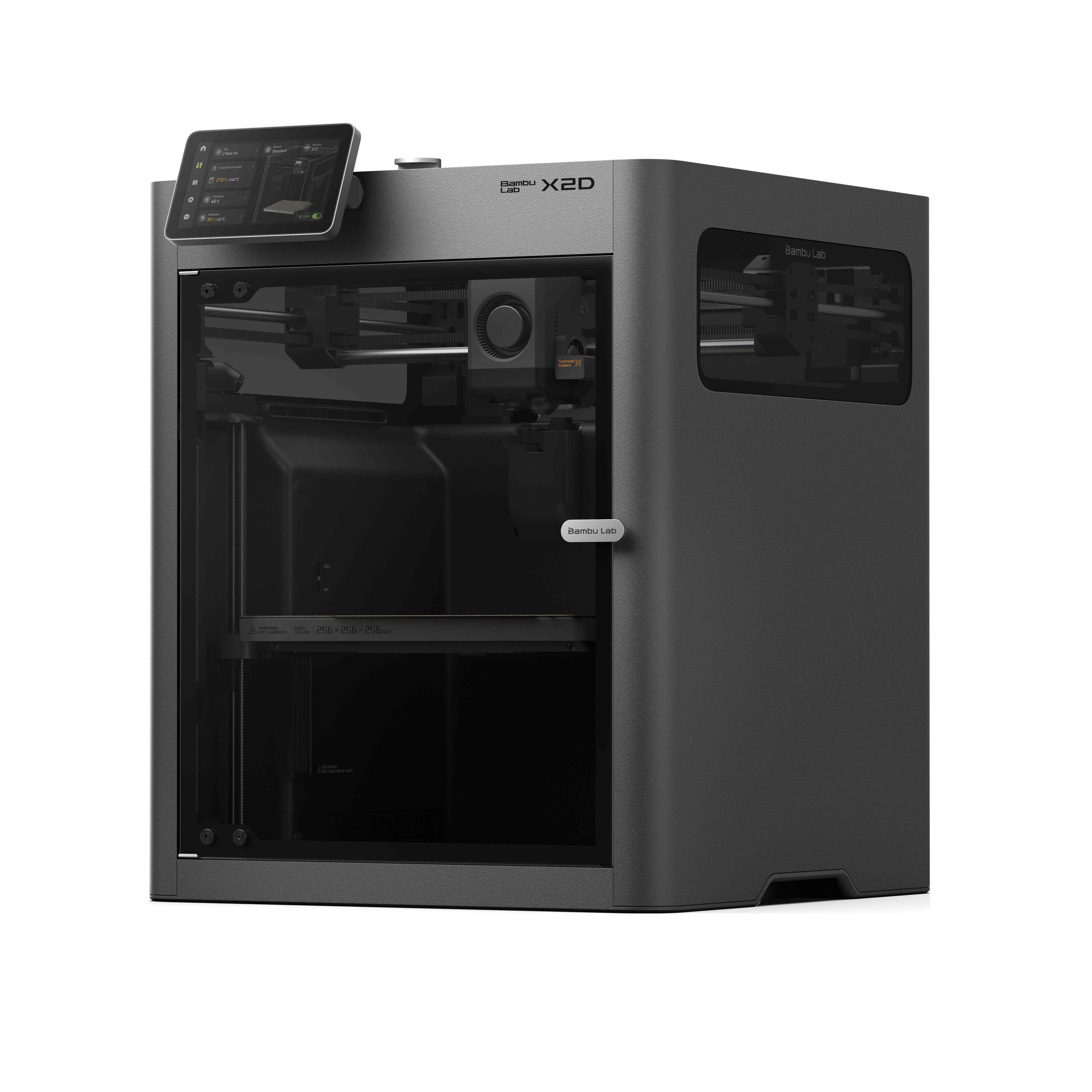
X2D (around 799, or 899 AMS Combo). Launched April 2026 to replace the X1 Carbon, and the cheapest way into dual-nozzle printing Bambu has ever offered. Both nozzles share one toolhead: a direct-drive nozzle for fast and precision work, and a Bowden-fed second nozzle mainly for support material or an accent colour. The practical payoff is clean support removal and easy two-material parts, in the same compact 256 mm enclosed footprint as a P2S, with H2-generation sensors, a toolhead camera and AI oversight. A strong upgrade for P1S or A1 owners who keep fighting with supports. If you mostly print single-colour PLA, the P2S does the job for less.
H-series: the professional, large-format tier
Bambu's top tier. All three share a large enclosed chassis with active chamber heating to 65 °C and a 350 °C hotend, so they handle engineering materials (ABS, ASA, PA, PC and carbon-fibre composites) and offer the largest build volumes Bambu makes, around 350 x 320 x 325 mm. The families differ mainly in how they handle multiple materials.
H2S (around 1,249 standalone, 1,499 Combo). Essentially a supersized P2S: single nozzle, huge build volume, extremely reliable. The best-value entry into the H-series and the right pick if you print large single-material engineering parts.
H2D (around 2,549+). The showpiece. Two independent IDEX nozzles print two materials at once with near-zero purge waste, or run mirror and clone modes to duplicate parts. Optional 10 W or 40 W laser modules add engraving and cutting, and there are drag-knife and pen modules too. A genuine multi-tool workshop machine.
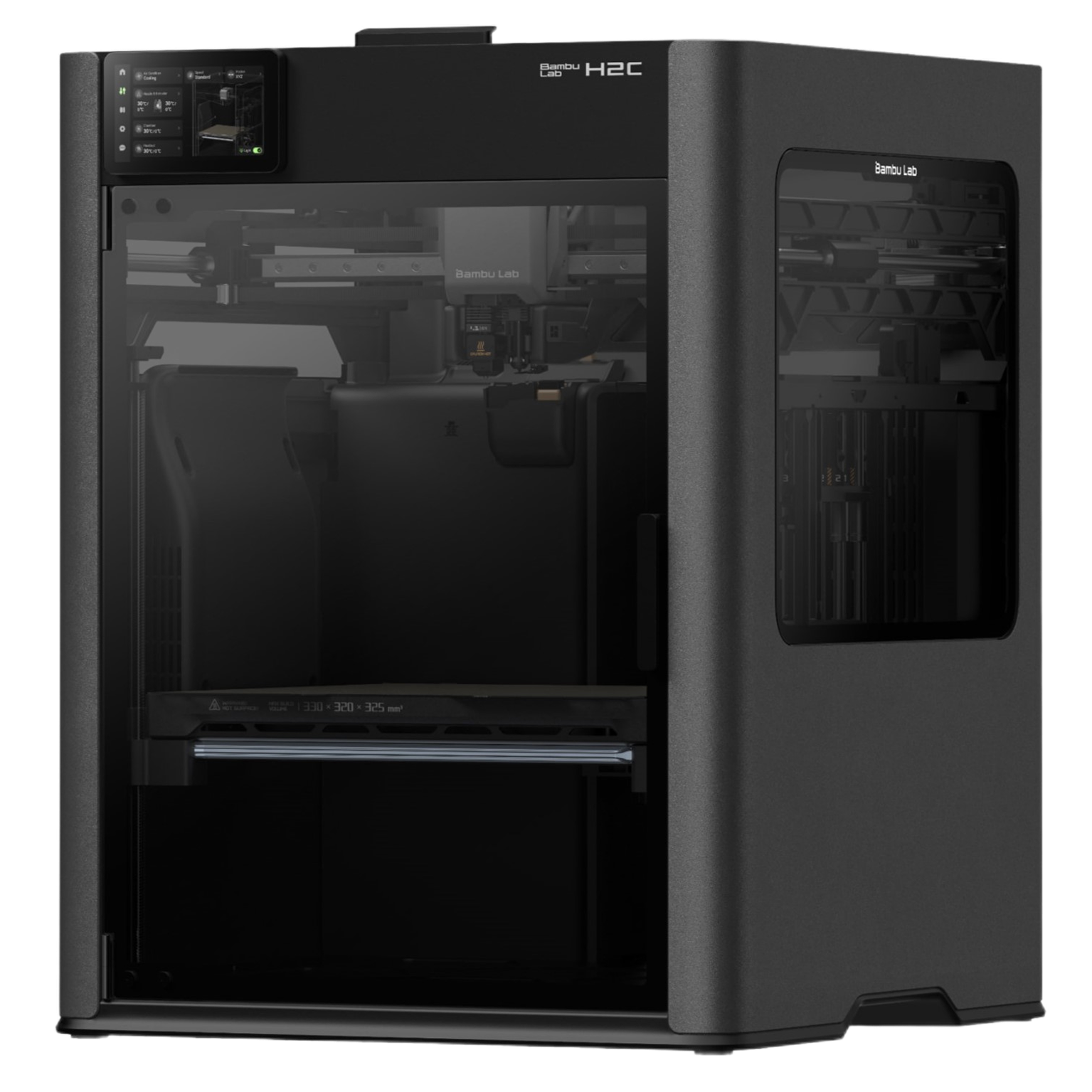
H2C (higher again). Replaces the print head with the Vortek tool-changer, which swaps between up to eight induction hotends mid-print, each carrying a different material or nozzle. The result is dramatically less colour-change waste than any AMS-based system, aimed at production multi-colour work. H2D and H2S owners can upgrade with a kit rather than buying a new machine.
H2D Pro (around 3,799+, configure-to-order). The enterprise configuration, adding Ethernet, enterprise Wi-Fi, a network kill switch, air-gap support and HEPA filtration for organisations with IT and security requirements. The current top of the lineup.
AMS: multi-colour and filament drying
The Automatic Material System is what makes Bambu multi-colour, and there are now several versions. Whichever machine you choose, buy the Combo that includes an AMS rather than the bare printer, since the standalone box limits you to a single spool from the start.
- AMS Lite: open-spool, four-slot unit for the A-series (A1, A1 Mini, A2L). No drying.
- AMS: the original enclosed four-slot unit with desiccant, for the enclosed machines.
- AMS 2 Pro: the newest enclosed unit, which actively dries filament as it feeds. It ships natively with the P2S and X2D Combos and is a real advantage for moisture-sensitive materials. See our filament dryer guide for why that matters.
- AMS HT: a single-spool high-temperature unit for engineering filaments, which can be chained together.
Enclosed machines can run up to four AMS units for 16 colours, and the A2L can reach 19 by combining AMS and AMS Lite.
Which Bambu should you buy?
- Cheapest way in, or small items: A1 Mini.
- Best beginner and small-business value: A1.
- Large parts or batch production on a budget: A2L.
- The all-round daily driver most people should buy: P2S (or a discounted P1S to save money).
- Clean supports and easy two-material work: X2D.
- Large single-material engineering parts: H2S.
- Large-format, dual-material, or laser and cutting too: H2D.
- Production multi-colour with minimal waste: H2C.
For a print business, the sweet spot is usually one or two A1 or P2S machines as workhorses, an A2L when large or batch jobs become regular, and a step into the H-series only once big-format or engineering orders justify it.
A word on Bambu versus Prusa
If you are weighing Bambu against Prusa, the difference is philosophy as much as spec. Bambu is a closed ecosystem: proprietary slicer and firmware, limited third-party modding, and in exchange a remarkably effortless, fast, plug-and-play experience. Prusa is open-source, endlessly repairable and upgradeable, and made in the EU, at the cost of a bit more hands-on involvement. Neither is simply better. If you want the machine to disappear into the background and just produce parts, Bambu is hard to beat. If you value openness, longevity and local support, read our Prusa lineup guide and weigh it up. For a print business, the deciding factor is often which ecosystem keeps your failure rate lowest with the least of your time.
What it means for your pricing
Whichever machine you land on, its power draw, wear rate and reliability feed straight into what each print costs you to make, and therefore what you should charge. A faster, more reliable printer lowers your failure rate and your cost per part, which is money in your pocket on every sale. Set your machine's numbers once and our guide on how to price 3D prints turns them into a price that keeps its margin.